
Upload one photo
Choose a JPG, PNG, or WebP. Free uploads are up to 10 MB and 1920×1080. There is no brush and no text prompt.
A background remover for a JPG, PNG, or WebP. Download a PNG with the background removed. No brush and no new backdrop. The first 3 images a day are free. The subject stays, so the file can be used as a transparent background cutout.
One photo. No brush. Use it as a background eraser to make the image background transparent, including a white one. On an iPhone, open this page in Safari. Read the guide, how a white background comes off, add a white background, or remove a background on iPhone.
Choose a JPG, PNG, or WebP. Free uploads are up to 10 MB and 1920×1080. There is no brush and no text prompt.
The subject stays and the background is removed. Hair, glass, and colors close to the subject can leave a rough edge.
The file is a PNG. Download it on white from the result, or place it on another scene in your own editor. The white file keeps the size and adds no shadow. It stays in My works for 30 days.
Use a catalog photo, a headshot, or a product on a plain surface. The result is the subject without that backdrop.
Drag to compare the original photo with the background removed. The subject stays. This page does not add a new scene.
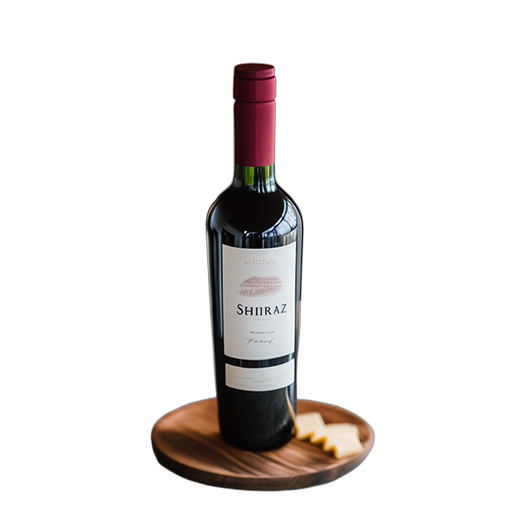

Watch the reveal · Drag to compare anytime
A bottle, shoe, or package on a table. Download the PNG, or download it on white. A gray field or your own template still goes in your editor.
A person facing the camera, with hair separated from the wall. Fine strands can stay rough. Check the edge before you publish.
A passerby in an otherwise good scene belongs on Remove Object from Image. A moving clip belongs on Remove Video Background.
| Input | One photo. No mask, brush, or text prompt. |
|---|---|
| Formats | JPG, PNG, or WebP in. PNG out. |
| File size | Free 10 MB. Starter and Creator 20 MB. Pro 25 MB. |
| Resolution | Free, Starter, and Creator accept a long edge up to 1920 and a short edge up to 1080. Pro has no separate edge cap. |
| What changes | The background is removed. The subject stays. |
| Price | Free: 3 images per day after sign-in, shared with photo object removal, 0 credits. Paid: 1 credit per image. View pricing |
| Saved result | The PNG stays in My works for 30 days. |
No. This page removes the whole background. To erase a bin, logo, or person and keep the real scene, use Remove Object from Image and brush that area.
The download is a PNG with the background removed. The studio shows it on a checkerboard. Download on white places that same cutout on white, at the same size, with no shadow. Any other backdrop still goes in your own editor.
After you sign in, Free accounts get 3 image generations per UTC day. Photo background removal, photo object removal, and removing a person share that quota. Paid plans use 1 credit per image and do not use the daily cap while credits remain.
No. This page is for one still photo. Remove Video Background turns a short clip into a green-screen MP4 and costs 10 credits on a paid plan.
One subject, a simple background, and a clear edge. Fine hair, transparent objects, and a subject that matches the background color are harder. Check the PNG before you publish it.
Finished images stay in My works for 30 days. Download the PNG if you want to keep it longer.
Shared credits for five studios. A video object is 20 credits. A video background or on-screen text is 10. A photo—object or background—is 1. Paid plans drop the daily free cap.
For occasional photo and video cleanups
Billed monthly. Cancel anytime.
Included with your plan
Finished results stay in My works for 30 days. Download a copy if you want to keep one longer.
For frequent creator workflows
Billed monthly. Cancel anytime.
Included with your plan
Finished results stay in My works for 30 days. Download a copy if you want to keep one longer.
For high-volume, high-resolution work
Billed monthly. Cancel anytime.
Included with your plan
Finished results stay in My works for 30 days. Download a copy if you want to keep one longer.
Credits are added each billing period and may be combined across active memberships. Paid plans are billed through Stripe and renew until you cancel. Free video is a one-time trial per browser. Free photos reset daily (UTC) and are shared by object removal and background removal. Both apply per browser even after sign-out. Starter videos: 10s · Creator videos: 20s · Pro videos: 30s · Pro images have no plan resolution cap (25 MB).