
Photo background removal or brushing out one object
Use background removal when the whole backdrop should go. Brush an object when the real scene should stay.
The whole backdrop goes
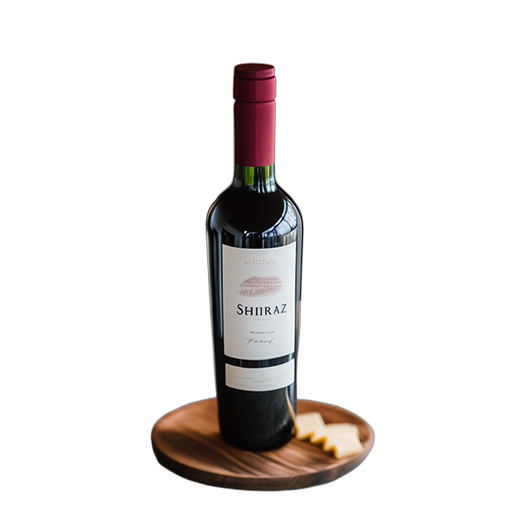
The bottle, wooden board, and cheese stay. The fireplace, wall, and table are removed. This is a transparent PNG on a checkerboard, not a new room.

Only the brushed object goes
Two jade rollers lie crossed on marble, with eucalyptus at the edges. Only the lower roller is removed. The upper roller, the stone, and the leaves stay.


The two results above are the choice. The bottle loses the fireplace and the wall. The jade rollers lose only the lower roller, and the marble stays. Background removal drops the whole backdrop and keeps the subject. Object removal fills only the area you brush, and the rest of the photo stays.
Choose background removal for a product, a headshot, or a logo that should sit on a new template later. Choose the brush when a bin, pole, tag, or passerby should disappear and the room or street should remain.
Both use the same free quota: 3 images per UTC day after you sign in. On a paid plan each image costs 1 credit, whether you remove the background or brush an object. Neither tool writes a new background for you.
Video is separate. Brushing an object out of a clip is Remove Object from Video at 20 credits. Turning a clip into a green screen is Remove Video Background at 10 credits. Those do not spend the daily photo quota.