
Remove an object from a video
Brush a person, logo, or stray item on one clear frame. It is tracked through the clip, then filled, so the real scene and the audio stay. Paid clips cost 20 credits.
Open the video studioFree video object remover for short clips. Upload MP4/MOV/WebM, brush the object on a clear frame, track it across the clip, and download a clean result. Free removes one object; paid plans support up to three. One free video is shared with background removal. Finished videos stay in My works.
Remove object from video or image
or choose MP4 / MOV / WebM, or JPG / PNG / WebP
Videos play in sync · Drag left / right to compare
Drag the slider to compare the original clip with an ObjectRemover AI result. Brush the object on a clear frame, let AI rebuild the scene, then download a clean MP4.
No brush. Upload a short clip and download a green-screen MP4. Drag the preview to compare the original with the result. Paid plans charge 10 credits, half the price of removing an object. Free trial, Starter, Creator, and Pro keep the same duration limits.
Videos play in sync · Drag left / right to compare
Drag to compare a photo before and after cleanup. Upload JPG, PNG, or WebP, brush the distraction, and download a clean still.


Watch the reveal · Drag to compare anytime
No brush. Upload a JPG, PNG, or WebP and download a PNG with the background removed. The subject stays. Download the same cutout on white, or add another scene in your own editor. Paid images cost 1 credit.


Watch the reveal · Drag to compare anytime
Pick the job first. Object removal keeps the real scene. Video background removal turns the backdrop green. A photo can lose one brushed object, or lose the whole background as a PNG.
Brush a person, logo, or stray item on one clear frame. It is tracked through the clip, then filled, so the real scene and the audio stay. Paid clips cost 20 credits.
Open the video studioNo brush. The subject stays and the whole background becomes a green screen. Paid clips cost 10 credits. Key the green in your own editor.
Open background removalUpload a JPG, PNG, or WebP and brush the distraction. Only that area is filled. Paid images cost 1 credit, and the download is a PNG.
Open the image studio Remove a personNo brush. The subject stays and the background is removed. Paid images cost 1 credit. The download is a PNG, and you add a new scene yourself.
Open photo background removalOne continuous shot or one photo. You mark what should disappear, or you let the background go green. There is no text prompt.
ObjectRemover AI is a browser studio for cleaning a frame. On video, you brush the unwanted object once and the mask follows it. The unmarked scene is not replaced. On a photo, the same idea applies to a JPG, PNG, or WebP, and the result is a PNG.
Background removal is the other video tool. It does not ask for a brush. The subject stays, the backdrop becomes green, and you add a new scene in your own editor. Finished videos and images stay in My works for 30 days.
Take a stand, cable, bag, or passerby out of a short continuous shot. The product or speaker stays, and the sound from that range stays with the MP4.
Open the video studioBrush a bin, pole, tag, or extra item in a still. The room, product, or landscape outside the mask remains. Free accounts get 3 images a day.
Open the image studioWhen the whole background should go, download a green-screen MP4 and composite it in CapCut, Premiere, Final Cut, or DaVinci. This site does not drop in a new scene.
Open background removalA product or headshot can lose its backdrop as a PNG. Download that cutout on white from the result, or place it on a template in your own editor. It shares the 3 free images a day.
Open photo background removalVideo uploads are MP4, MOV, or WebM, up to 100 MB and 60 seconds. The processed range is 5, 10, or 20 seconds by plan. Photos are priced separately. See pricing
| Video object | Video background | Photo | Photo background | |
|---|---|---|---|---|
| Job | Erase one object | Green-screen the background | Erase one object | Remove the background |
| You mark | Brush on one frame | Nothing | Brush on the photo | Nothing |
| What stays | Scene and audio | Subject and audio | The rest of the photo | The subject |
| Download | MP4 | Green-screen MP4 | PNG | PNG |
| Free | 1 video, up to 5 seconds | Same 1 video trial | 3 images a day | Same 3 images a day |
| Paid | 20 credits | 10 credits | 1 credit | 1 credit |
| Saved | My works, 30 days | My works, 30 days | My works, 30 days | My works, 30 days |
Upload a clip, select what to erase, then download a clean MP4—ObjectRemover AI keeps the workflow visual and free to try. Open the video studio or read the guide.
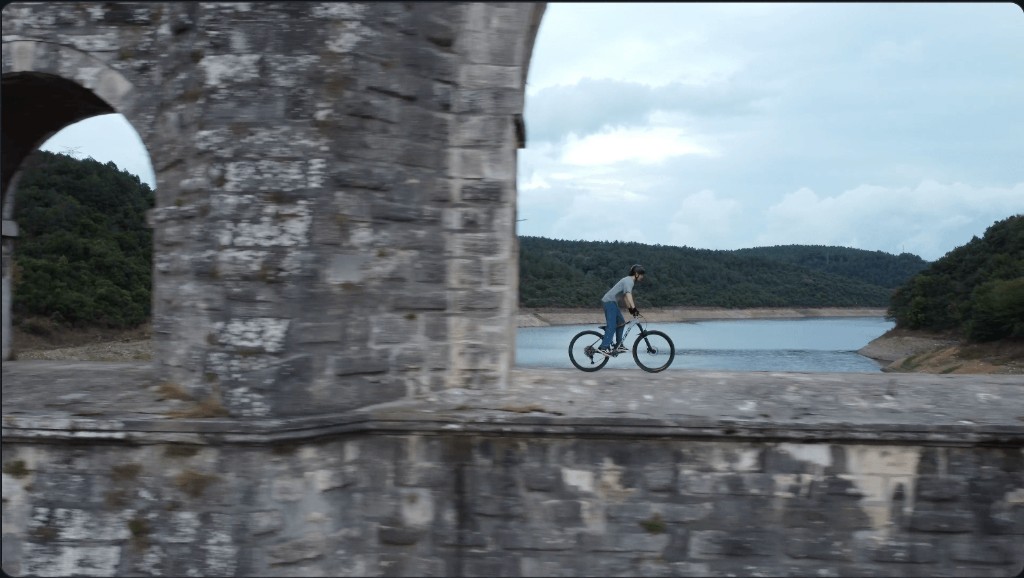
Drop an MP4, MOV, or WebM into ObjectRemover AI. Sign in to start a short free trial clip.
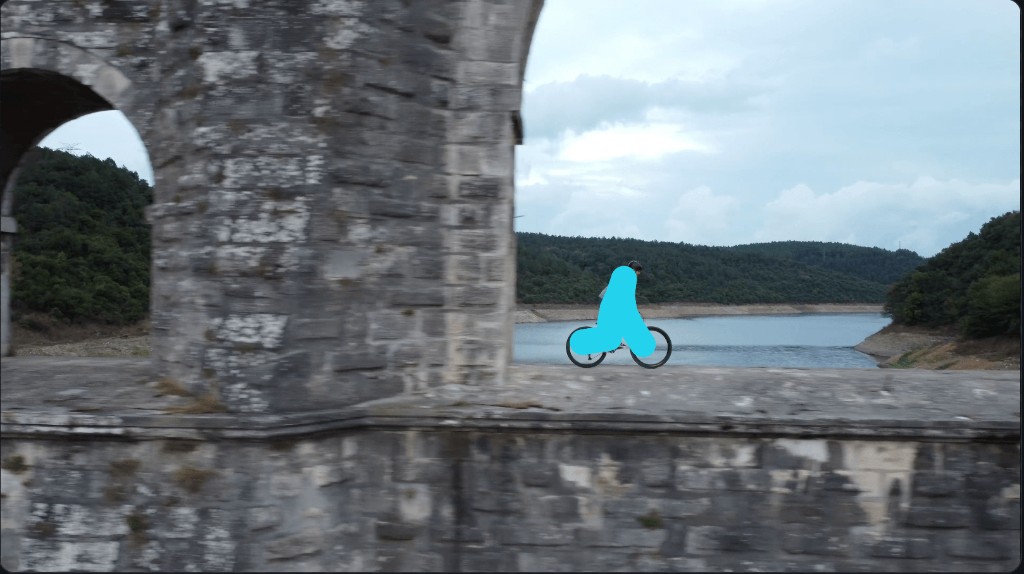
Pick a clear frame and brush over the unwanted object. AI tracks it across the clip so you do not need a perfect outline.
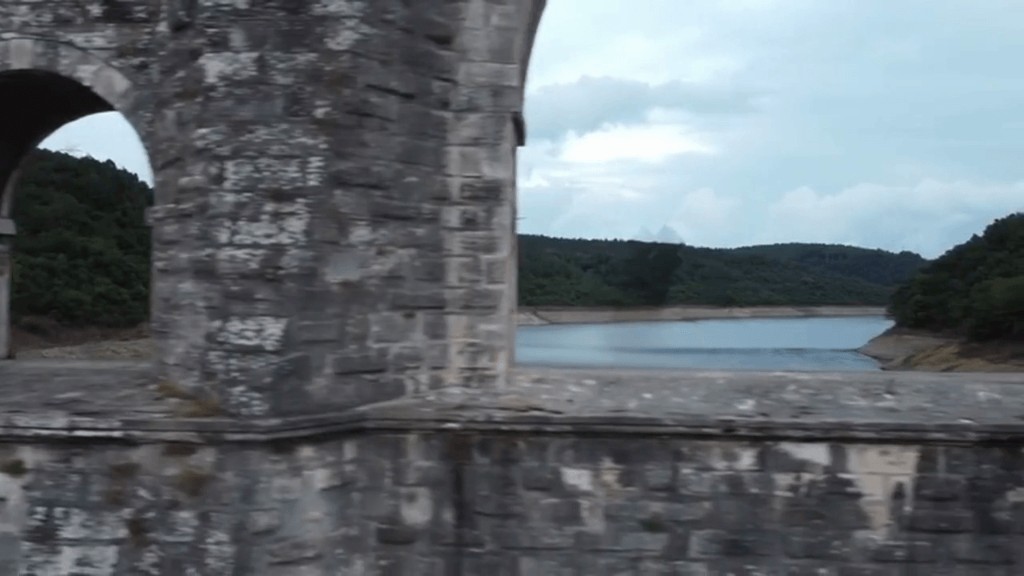
Generate the clean scene, restore original audio, and download your MP4. Finished results stay in My works.
Open My worksUpload a short video, choose the part you want to process, select a clear frame, and brush over the unwanted object. ObjectRemover AI tracks the marked area through the clip, rebuilds the scene, and prepares a clean MP4 to download. Open the video studio
ObjectRemover AI accepts MP4, MOV, and WebM videos up to 100 MB. For the smoothest upload and processing experience, use a short, single-shot clip with the object clearly visible.
After you sign in, the Free trial processes one clip up to 5 seconds. That one lifetime video is shared by object removal and background removal. Starter memberships process up to 10 seconds; Creator and Pro up to 20 seconds, with credits for more generations. Compare plans
Free allows uploads up to 1280×720 and processes them at long-edge 480. Starter and Creator support up to 1920×1080, while Pro supports source-resolution export up to 3840×2160 when the uploaded video is within that limit.
No. Choose a frame where the object is easy to see, then paint a loose mark inside it. Add a little edge expansion when an outline or shadow needs coverage; a precise pixel-by-pixel trace is not required.
ObjectRemover AI works best on short, continuous shots with one clearly visible unwanted object and a reasonably consistent background. Fast cuts, heavy motion blur, objects hidden behind people, and major camera moves can reduce the consistency of the result.
Free trial supports one object per generation. Paid plans can mark up to three objects in the same clip. Choose a clear frame and brush each target; heavy overlap or fast motion can still reduce consistency. See paid plans
Finished results stay in My works for 30 days, then are deleted. Original uploads and intermediate files are removed when processing finishes. Download a copy if you want to keep the result longer. Open My works
Yes. Use the image studio to upload a JPG, PNG, or WebP photo, brush the distraction, and download a clean still. Photo tools share 3 free images per UTC day and cost 1 credit when paid. That allowance is separate from the one lifetime free video. Open the image studio
After you sign in, Free accounts get 3 image generations per UTC day, shared by photo object removal, removing a person, and photo background removal. That allowance is separate from the one lifetime free video trial. Free image uploads are capped at 1080p and 10 MB; processing is up to 720p.
On paid plans, removing an object from a video costs 20 credits, removing the background costs 10 credits, and one image costs 1 credit. Credits are shared until your balance runs out; there is no separate daily free-tier cap while credits remain. View pricing
Yes. Remove Video Background turns the background green without brushing. It uses the same duration limits as object removal: 5 seconds on the free trial, 10 seconds on Starter, and 20 seconds on Creator and Pro. Paid generations cost 10 credits. Open background removal
Yes. Remove Background from Image takes one JPG, PNG, or WebP and downloads a PNG with the background removed. There is no brush and no new backdrop. It shares the 3 free images per day with photo object removal. Paid images cost 1 credit. Open photo background removal
Shared credits for four studios. A video object is 20 credits, a video background is 10, and a photo—object or background—is 1. Paid plans drop the daily free cap.
For occasional photo and video cleanups
Billed monthly. Cancel anytime.
Included with your plan
Finished results stay in My works for 30 days. Download a copy if you want to keep one longer.
For frequent creator workflows
Billed monthly. Cancel anytime.
Included with your plan
Finished results stay in My works for 30 days. Download a copy if you want to keep one longer.
For high-volume, high-resolution work
Billed monthly. Cancel anytime.
Included with your plan
Finished results stay in My works for 30 days. Download a copy if you want to keep one longer.
Credits are added each billing period and may be combined across active memberships. Paid plans are billed through Stripe and renew until you cancel. Free video is a one-time trial per browser. Free photos reset daily (UTC) and are shared by object removal and background removal. Both apply per browser even after sign-out. Starter videos: 10s · Creator/Pro videos: 20s · Pro images have no plan resolution cap (25 MB).
Bring a short video moment into focus.